


- 🔥🔥🔥 we just released Ever Works - An open agentic runtime that autonomously researches, ships, and maintains entire businesses, 24/7. Please grab it now from https://github.com/ever-works/ever-works and make it ⭐⭐⭐ on GitHub!
- if you like Ever Teams, you should also check Ever Gauzy - Open Business Management Platform (ERP/CRM/HRM/ATS/PM). Please check https://github.com/ever-co/ever-gauzy and make it ⭐ on GitHub! Ever Teams actually utilize Ever Gauzy headless APIs, see Ever Gauzy Platform APIs.
Ever® Teams™ - Open Work and Project Management Platform.
NOTE: Platform currently is in active development stage / WIP, please use with caution!
Below is a list of the most important planned features:
- Work / Workforce Management
- Time Management / Time Tracking / Activity Tracking
- Productivity Tracking & Metrics
- Projects / Tasks & Issues Management
- Organizations / Teams
- Tags / Labels
- Integrations (GitHub, GitLab, Bitbucket, JIRA, etc.)
- Dark / Black / Light Themes
Show / Hide Screenshots
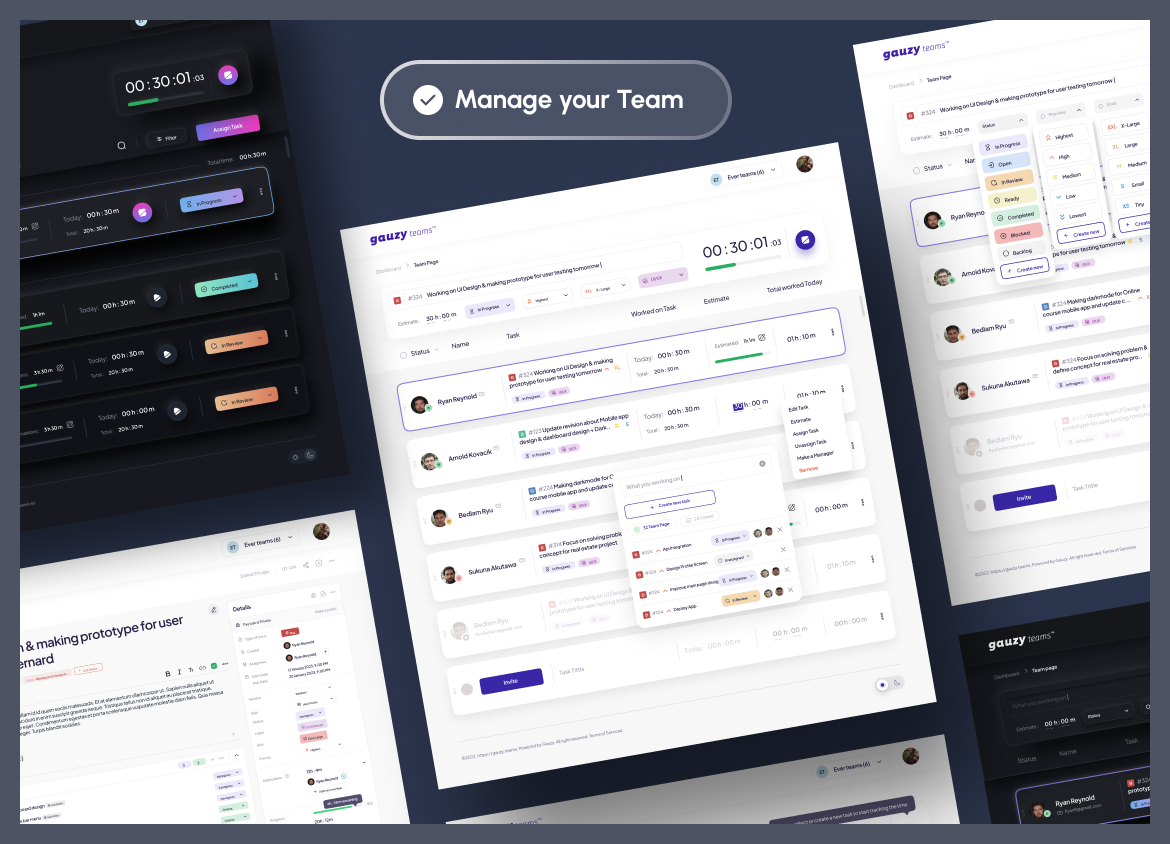
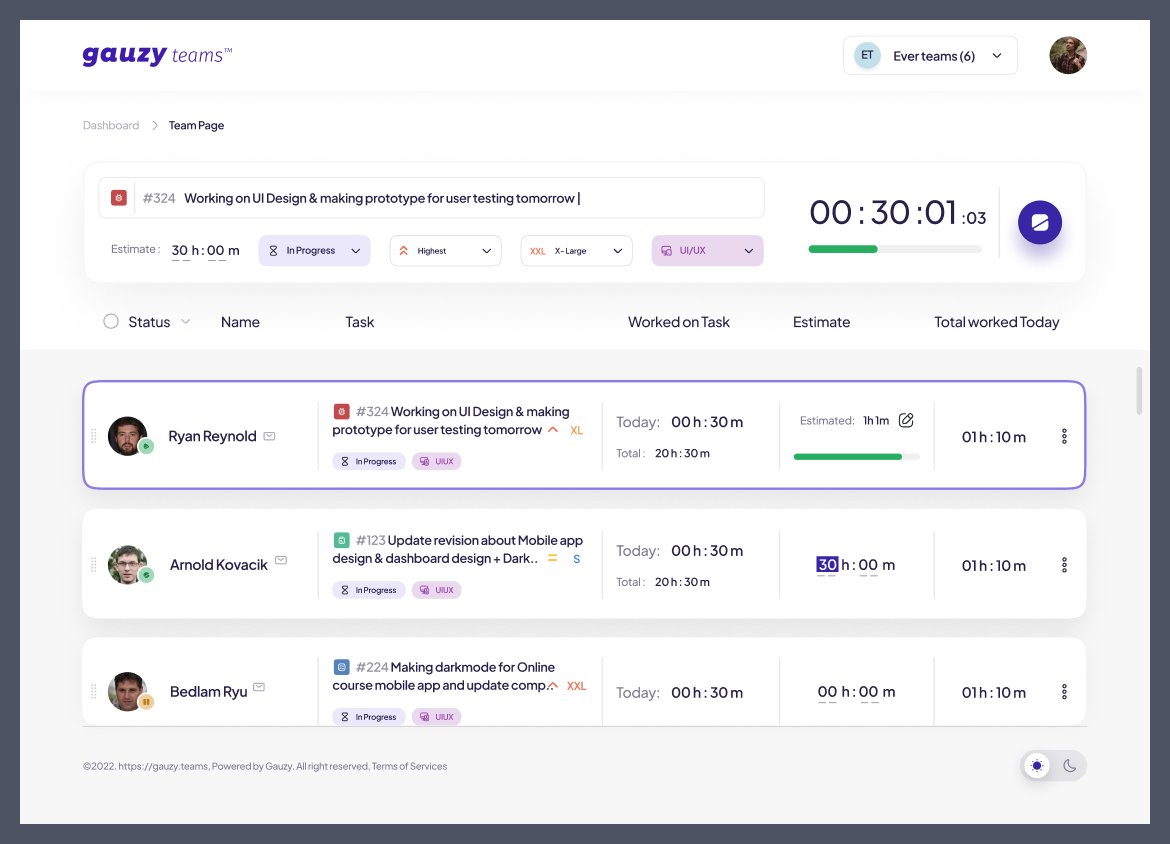
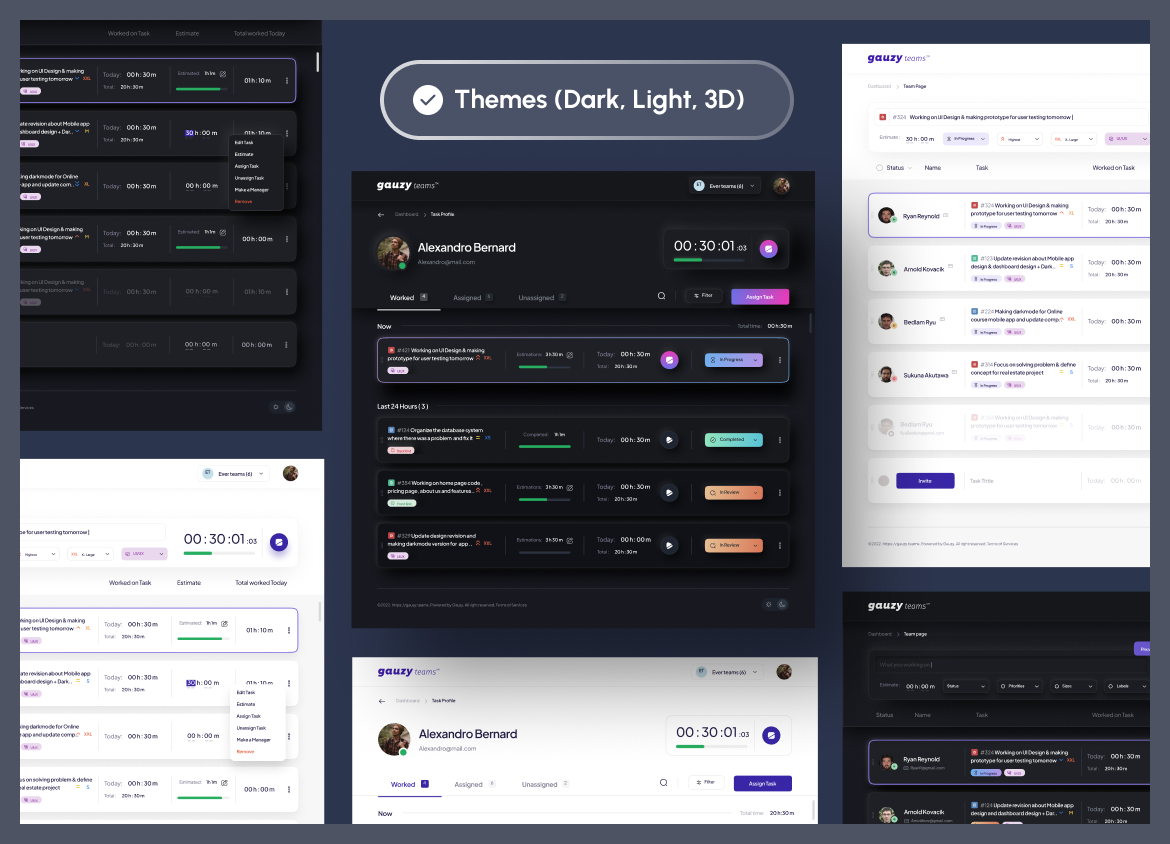
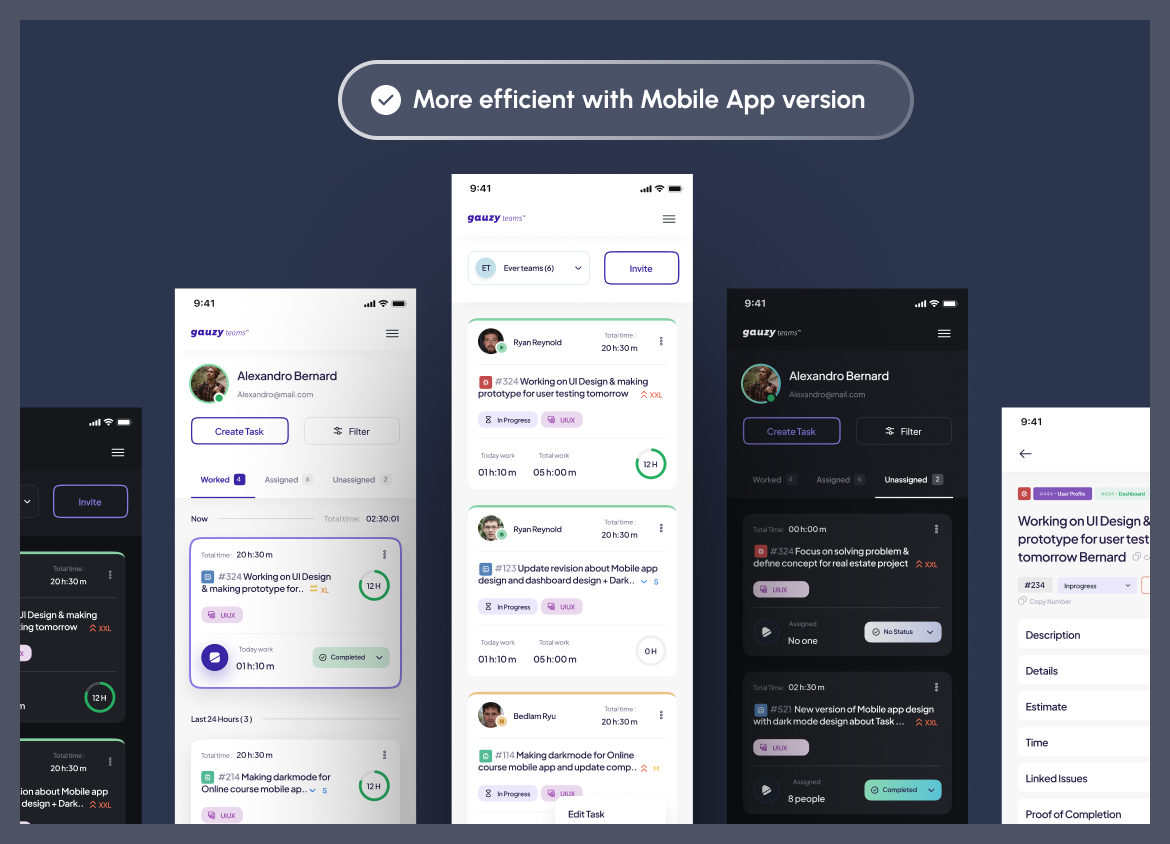
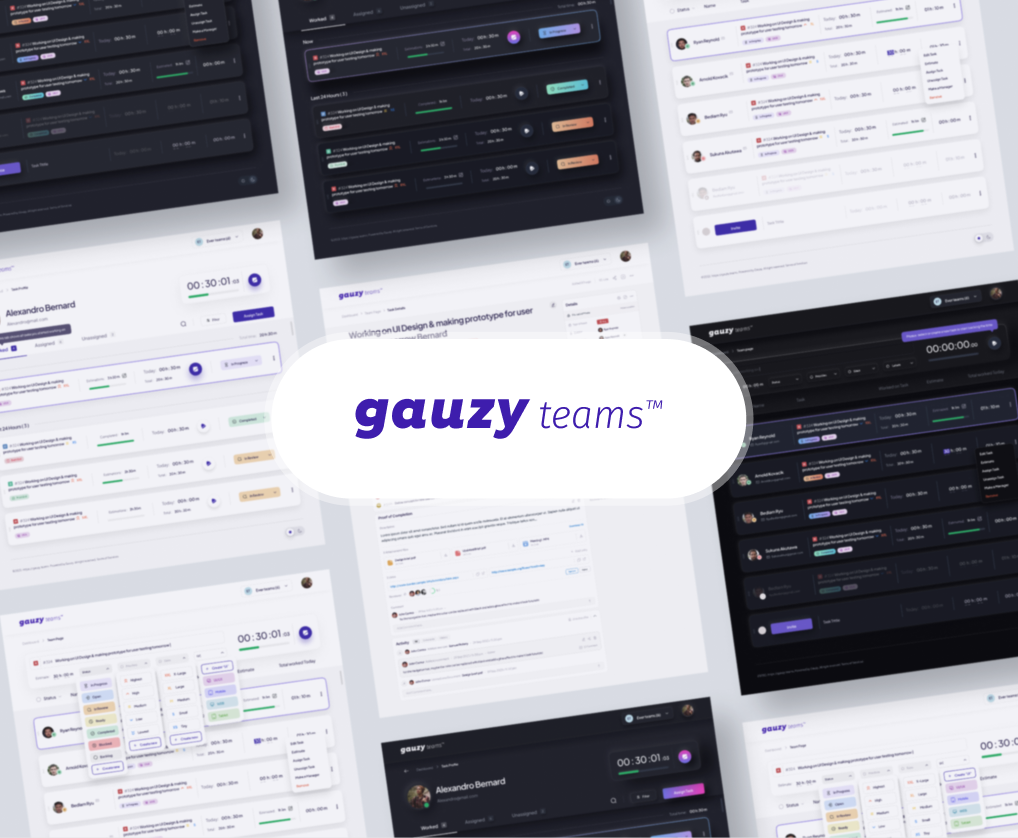
Note: Currently WIP, the screenshot is just a temporary picture :)
- https://app.ever.team - Ever® Teams™ Platform Web Application.
- https://demo.ever.team - Ever® Teams™ Platform Demo Web Application.
- https://stage.ever.team - Ever® Teams™ Platform Stage / Test Web Application.
- https://docs.ever.team - Ever® Teams™ Platform Documentation (WIP).
- https://ever.team - Check more information about the Ever® Teams™ platform at the official website (WIP).
- https://storybook.ever.team - Ever® Teams™ Platform Kit Storybook.
- https://builders.ever.team - Ever® Teams™ Platform Visual Builders.
- https://base.examples.ever.team - Ever® Teams™ base example
- https://next.examples.ever.team - Ever® Teams™ NextJs example
- https://saas.examples.ever.team - Ever® Teams™ SaaS platform example
- https://vite.examples.ever.team - Ever® Teams™ example built with Vite
- https://next-boilerplate.examples.ever.team - Ever® Teams™ example built with NextJs Boilerplate
- https://remix.examples.ever.team - Ever® Teams™ example built with Remix
- https://gauzy.co - Check more information about the Ever® Gauzy™ Platform at the official website.
- https://ever.co - Get more information about our company products.
Ever® Teams™ Platform (https://app.ever.team) is built on top of our Business Management Platform (ERP/CRM/HRM) - Ever® Gauzy™ Platform (https://gauzy.co), which itself is a part of our larger Open Platform for On-Demand and Sharing Economies - Ever®. You can get more information about all our products at https://ever.co.
Below is a list of frameworks/libraries we are using across platform apps:
- Turborepo
- TypeScript
- Nx and Lerna
- NodeJs
- Next.js
- React
- React Native
- Expo
- Tailwind - CSS / Styles
- shadcn/ui, Radix and HeadlessUI - UI Component Libraries
- GitHub Actions
- Storybook - frontend workshop for building UI components and pages in isolation.
- DigitalOcean and Vercel - Hosting
- Next.js
- Headless UI
- Radix UI, e.g. Primitives, Themes, etc.
- Shadcn UI
- TailwindCSS
- Storybook - frontend workshop for building UI components and pages in isolation.
See also README.md and CREDITS.md files in relevant folders for lists of libraries and software included in the Platform, information about licenses, and other details
Please refer to our official Platform Documentation (WIP) and to our Wiki (WIP).
- Clone repo.
- Make sure you have the latest Docker Compose installed locally. Important: you need a minimum v2.20.
- Run
docker-compose -f docker-compose.demo.yml up, if you want to run the platform in basic configuration (e.g. for Demo / explore functionality / quick run) using our prebuilt Docker images. Check.env.demo.composefile for different settings (optionally). (Note: Docker Compose will use latest images pre-build automatically from head ofmainbranch using GitHub CI/CD.) - Run
docker-compose up, if you want to run the platform in production configuration using our prebuilt Docker images. Check.env.composefile for different settings (optionally). (Note: Docker Compose will use latest images pre-build automatically from head ofmainbranch using GitHub CI/CD.) - Run
docker-compose -f docker-compose.build.yml up, if you want to build everything (code and Docker images) locally. Check.env.composefile for different settings (optionally). (Note: this can be long process because it builds whole platform locally. Other options above are much faster!) - ☕ time... It might take some time for the first Docker Compose run, even if you used prebuilt Docker images.
- Open http://localhost:3030 in your browser, register a new account, and start using Ever Teams!
- Enjoy!
Notes:
- You can execute
docker-composecommand with-doption to run it in the "detached" mode (allows containers to run in the background, separate from the terminal). - By default, Ever Teams web frontend will be connected to our production Ever Gauzy API API endpoint https://api.ever.team. You can change it in the environment variables
GAUZY_API_SERVER_URLandNEXT_PUBLIC_GAUZY_API_SERVER_URL, see more in the Run with a Self-hosted Backend section. - The web app is configured at runtime by the
environment:block of thewebappservice (no rebuild needed, see Configure at Runtime). Values listed there take precedence over theenv_file(.env.compose/.env.demo.compose); to change one, export it in your shell or pass--env-file <file>todocker-compose, which fills the${VAR:-default}placeholders. - Both
docker-compose.ymlanddocker-compose.demo.ymldefaultNEXT_PUBLIC_DEMOtofalse. Demo mode (password login page with one-click demo accounts) only works against a Gauzy API seeded with the demo accounts; enable it withNEXT_PUBLIC_DEMO=true docker-compose up(or in a root.envfile, which Compose uses for${...}substitution). docker-compose.build.ymldefaultsNEXT_PUBLIC_DEMOtotrue, and an empty value keeps that default there: runNEXT_PUBLIC_DEMO=false docker-compose -f docker-compose.build.yml up(or setNEXT_PUBLIC_DEMO=falsein the--env-file) to turn demo mode off.- The Compose files leave the services Ever operates for its own deployments (Jitsi meetings, whiteboard, GitHub App) off; see Configure at Runtime to point them at your own.
Docker build definitions are stored under .deploy/web/ to keep the repository root tidy. Docker Compose files stay at the root, so they are easy to discover and invoke (docker-compose -f ...).
Run with Public Images:
- You can pull our public docker image with
docker pull everco/ever-teams-webappcommand. - You can run https://hub.docker.com/r/everco/ever-teams-webapp docker image with the following command:
docker run -p 127.0.0.1:3030:3030/tcp everco/ever-teams-webapp. - Open http://localhost:3030 in your browser, register a new account, and start using Ever Teams!
Note: To build such images on each release (push to our main branch), we are using relevant Github Action.
Build and Run Locally:
- If you want to build an image locally from our source code (after cloning the repo locally), please run the following command (from the root of mono-repo):
docker build . -t ever-teams-webapp -f .deploy/web/Dockerfile. No deployment-specific--build-argis needed (or read): configure the container at runtime, as below. - To run the locally built image, please run the following command:
docker run -p 127.0.0.1:3030:3030/tcp ever-teams-webapp. - Open http://localhost:3030 in your browser, register a new account, and start using Ever Teams!
Note: By default, Ever Teams web frontend will be connected to our production Ever Gauzy API API endpoint https://api.ever.team. You can change it in the environment variables GAUZY_API_SERVER_URL and NEXT_PUBLIC_GAUZY_API_SERVER_URL, see more in the Run with a Self-hosted Backend section.
The published images bake nothing deployment-specific: the API URL, captcha keys, analytics keys, branding, Meet / Board endpoints and secrets are all read from the container environment at runtime (when the server starts and on every page request). Set them with docker run -e ..., a Compose environment: block or a Kubernetes Secret, then restart the container; no rebuild is needed. For example:
docker run -d -p 3030:3030 \
  -e GAUZY_API_SERVER_URL=https://api.example.com \
  -e NEXT_PUBLIC_GAUZY_API_SERVER_URL=https://api.example.com \
  -e AUTH_SECRET="$(openssl rand -base64 32)" \
  -e NEXT_PUBLIC_CAPTCHA_TYPE=recaptcha \
  -e NEXT_PUBLIC_CAPTCHA_SITE_KEY=<your-site-key> \
  -e CAPTCHA_SECRET_KEY=<your-secret-key> \
  -e APP_NAME="Acme Teams" \
  -e APP_LOGO_URL=https://teams.example.com/logo.png \
  -e APP_LINK=https://teams.example.com \
  -e COMPANY_NAME="Acme Inc." \
  -e COMPANY_LINK=https://example.com \
  -e NEXT_PUBLIC_IMAGES_HOSTS=cdn.example.com \
everco/ever-teams-webappGAUZY_API_SERVER_URLis used by the Next.js server, so it must be reachable from inside the container;NEXT_PUBLIC_GAUZY_API_SERVER_URLis used by the browser. Both are the API origin, without a trailing/api. IfNEXT_PUBLIC_GAUZY_API_SERVER_URLis unset, the browser calls the API through the web app's own/apiproxy.AUTH_SECRETis required in production (sessions and social login).NEXT_PUBLIC_CAPTCHA_TYPEisrecaptcha(default),hcaptchaorcloudflare(Turnstile). SetNEXT_PUBLIC_CAPTCHA_SITE_KEYandCAPTCHA_SECRET_KEYtogether, or leave both empty to sign up without a captcha.- Branding:
APP_NAME,APP_SIGNATURE,APP_LOGO_URL,APP_FAVICON_URL(default/favicon.ico),APP_LINK,APP_SLOGAN_TEXT,COMPANY_NAME,COMPANY_LINK,TERMS_LINK,PRIVACY_POLICY_LINK,MAIN_PICTURE,MAIN_PICTURE_DARK. The logo and favicon are absolute URLs or paths served by the app (emails resolve a logo path againstAPP_LINK). SetAPP_SLOGAN_TEXT,COMPANY_LINK,TERMS_LINKorPRIVACY_POLICY_LINKtononeto hide it (an empty value brings back the default). - Social login (Google, Facebook, GitHub, Twitter/X): set
NEXT_PUBLIC_<PROVIDER>_APP_NAMEand<PROVIDER>_CLIENT_ID/<PROVIDER>_CLIENT_SECRET, and register<public origin>/api/auth/callback/<provider>(e.g.https://teams.example.com/api/auth/callback/google) as the OAuth callback URL. Behind a reverse proxy or ingress that does not forward the public host (Host/X-Forwarded-Host) andX-Forwarded-Proto, also setAUTH_URLto the public origin of the app, without a path (e.g.https://teams.example.com). - Services that Ever operates for its own deployments are off unless you point them at your own: Jitsi meetings
(
NEXT_PUBLIC_MEET_DOMAINwithMEET_JWT_APP_ID/MEET_JWT_APP_SECRET, or LiveKit), the collaborative whiteboard (NEXT_PUBLIC_BOARD_APP_DOMAIN,NEXT_PUBLIC_BOARD_BACKEND_POST_URL) and the GitHub integration, which offers no install link untilNEXT_PUBLIC_GITHUB_APP_NAMEis set to the slug of your own GitHub App. - Error reporting:
SENTRY_DSN(server) andNEXT_PUBLIC_SENTRY_DSN(browser) are read at runtime; unset = off. Analytics and support chat are runtime settings too: PostHog (NEXT_PUBLIC_POSTHOG_KEY, unset = off;NEXT_PUBLIC_POSTHOG_HOST, defaulthttps://us.i.posthog.com), Jitsu and Chatwoot. - Demo mode (
NEXT_PUBLIC_DEMO=true):NEXT_PUBLIC_DEMO_ACCOUNTSreplaces the one-click demo accounts with a JSON array of{"type","email","password"}objects (optional"role"label), one pertypeamongSUPER_ADMIN,ADMINandEMPLOYEE, e.g.[{"type":"ADMIN","email":"demo@example.com","password":"demo-password"}]. It is sent to the browser: use throwaway demo credentials only. NEXT_PUBLIC_IMAGES_HOSTS(comma-separated) allows extra remote image hosts at runtime; the origins of theNEXT_PUBLIC_GAUZY_API_SERVER_URL,APP_LOGO_URLandMAIN_PICTURE*URLs are allowed automatically. An entry is eitherhost,*.host(subdomains only) orhost:port, which means https, or a full origin such ashttp://minio.lan:9000, which allows exactly that origin (use it for http or a custom port). Hosts that were not in the list the image was built with are served without Next.js image optimization (/_next/imageredirects the browser to the original image); hosts in the build-time list always go through the optimizer.- An empty value counts as unset, so the built-in default applies. The one exception is
NEXT_PUBLIC_<PROVIDER>_APP_NAME: setting it, even to an empty value, advertises that social login, which still only appears once<PROVIDER>_CLIENT_IDand<PROVIDER>_CLIENT_SECRETare set. Sign-in buttons exist only for Google, Facebook, GitHub and Twitter/X. - Only
NEXT_PUBLIC_*and branding variables reach the browser. Secrets (AUTH_SECRET,CAPTCHA_SECRET_KEY,*_CLIENT_SECRET,SMTP_PASSWORD, ...) stay on the server. .env.dockerlists every runtime variable with its default. You can pass it as is:docker run --env-file .env.docker -p 3030:3030 everco/ever-teams-webapp.
Image flavours: everco/ever-teams-webapp (also ghcr.io/ever-co/ever-teams-webapp) is built from main, -stage from stage and -dev from develop. The -dev image is a demo image: it defaults to NEXT_PUBLIC_DEMO=true (password login page with one-click demo accounts). Pass -e NEXT_PUBLIC_DEMO=false to turn demo mode off.
We have Ever Teams Docker images published into:
- https://hub.docker.com/u/everco?page=1&search=ever-teams
- https://github.com/orgs/ever-co/packages?tab=packages&q=ever-teams
- Clone this repo
- Run
yarn install - Run
yarn build:web && yarn start:webORyarn start:web:dev - Open http://localhost:3030 in your browser
Notes:
- By default, Ever Teams web frontend will be connected to our production Ever Gauzy API API endpoint https://api.ever.team. You can change it in environment variables
GAUZY_API_SERVER_URLandNEXT_PUBLIC_GAUZY_API_SERVER_URL, see the Run with a Self-hosted Backend section below.
- Download and run the Ever Gauzy Server setup (https://gauzy.co/downloads) or run the server manually (see https://github.com/ever-co/ever-gauzy/tree/develop/apps/server). You can also run only Ever Gauzy APIs (manually), see https://github.com/ever-co/ever-gauzy/tree/develop/apps/api. For getting started instructions, it's best to check the Ever Gauzy README file.
- Clone this repo
- After you get the API or Server running, make sure you set the environment variables
GAUZY_API_SERVER_URLandNEXT_PUBLIC_GAUZY_API_SERVER_URLin Ever Teams .env file (see https://github.com/ever-co/ever-teams/blob/develop/apps/web/.env.sample). For example, you can set those env vars to http://localhost:3000 if Gauzy APIs run on that host & port. With our Docker image, pass the same two variables to the container instead (docker run -e ..., no rebuild needed, see Configure at Runtime); remember thatlocalhostinside a container is the container itself, so pointGAUZY_API_SERVER_URLat an address the container can reach (e.g. the API service name in Docker Compose, orhttp://host.docker.internal:3000on Docker Desktop), whileNEXT_PUBLIC_GAUZY_API_SERVER_URLmust be reachable from the browser. - Run
yarn install - Run
yarn build:web && yarn start:webORyarn start:web:dev - Open http://localhost:3030 in your browser
Note: Ever® Teams™ requires access to Ever® Gauzy™ Platform APIs, provided by another project - Ever® Gauzy™ Platform, see https://github.com/ever-co/ever-gauzy (and also https://gauzy.co). Specifically, you might be interested in the apps/api and apps/server folders of the mono-repo for the Gauzy API & Gauzy Server code.
- Launch a ready-to-use Gitpod workspace (WIP):

DevContainers for VSCode are supported (WIP).
Platforms that run our prebuilt Docker image (e.g. the Koyeb button below) are configured with environment variables only: the image bakes nothing deployment-specific. See Configure at Runtime and .env.docker.
The Render, Heroku and Northflank templates generate a random AUTH_SECRET; on Fly, set it once with
fly secrets set AUTH_SECRET=$(openssl rand -base64 32). They all point GAUZY_API_SERVER_URL and
NEXT_PUBLIC_GAUZY_API_SERVER_URL at our public API (https://api.ever.team): change both to use your own Gauzy API.
Please see our Wiki.






/apps/web- NextJs-based (React) Web App at https://app.ever.team (deployed frommainbranch)/apps/mobile- Expo (ReactNative) powered mobile app/apps/desktop- Electron-based Desktop Application (customized build from Ever Gauzy Desktop Timer App)/apps/extensions- Browser Extensions (powered by https://github.com/PlasmoHQ/plasmo)/apps/server-api- Ever Teams API Server (customized build from Ever Gauzy API Server)/apps/server-web- Electron-based Ever Teams Web Server that serves Ever Teams NextJs frontend (wrapsapps/webfolder)
- Ever.co Website Contact Us page
- Slack Community
- Discord Chat
- For business inquiries: mailto:gauzy@ever.co
- Please report security vulnerabilities to mailto:security@ever.co
- Gauzy Platform @ Twitter
- Gauzy Platform @ Facebook


Ever Teams Platform follows good security practices, but 100% security cannot be guaranteed in any software! Ever Teams Platform is provided AS IS without any warranty. Use at your own risk! See more details in the LICENSES.md.
In a production setup, all client-side to server-side (backend, APIs) communications should be encrypted using HTTPS/WSS/SSL (REST APIs, GraphQL endpoint, Socket.io WebSockets, etc.).
If you discover any issue regarding security, please disclose the information responsibly by emailing mailto:security@ever.co and not by creating a GitHub issue.
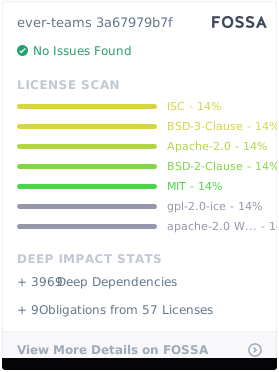
This software is available under the following licenses:
- Ever® Teams™ Platform Community Edition
- Ever® Teams™ Platform Small Business
- Ever® Teams™ Platform Enterprise
The default Ever® Teams™ Platform license, without a valid Ever® Teams™ Platform Enterprise or Ever® Teams™ Platform Small Business License agreement, is the Ever® Teams™ Platform Community Edition License
We support the open-source community. If you're building awesome non-profit/open-source projects, we're happy to help and will provide (subject to acceptance criteria) Ever Teams Enterprise edition license and free hosting option! Feel free to contact us at mailto:ever@ever.co to make a request. More details are explained in our Wiki.
Please see LICENSES for more information on licenses
Ever® is a registered trademark of Ever Co. LTD. Ever® Demand™, Ever® Gauzy™, Ever® Teams™ and Ever® OpenSaaS™ are all trademarks of Ever Co. LTD.
The trademarks may only be used with the written permission of Ever Co. LTD. and may not be used to promote or otherwise market competitive products or services.
All other brand and product names are trademarks, registered trademarks, or service marks of their respective holders.
- Please give us a ⭐ on Github, it helps!
- You are more than welcome to submit feature requests in the separate repo
- Pull requests are always welcome! Please base pull requests against the develop branch and follow the contributing guide.
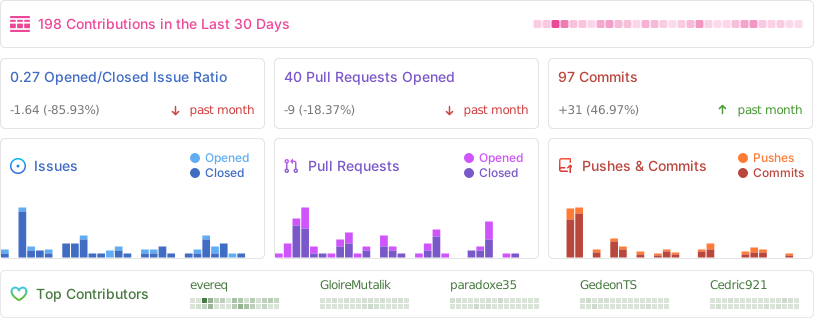
See our contributors list in CONTRIBUTORS.md. You can also view a full list of our contributors tracked by GitHub.








- If you are running any business or doing freelance, check our new project Ever Gauzy - Open Business Management Platform (ERP/CRM/HRM)
- We are Hiring: remote TypeScript / NodeJS / NestJS / Angular & React developers