Core-V Wally SoC (extended Core-V Wally)
In this test project, I've extended Core-V Wally core/SoC (https://github.com/openhwgroup/cvw) with additional components needed to run Doom on the FPGA boards I have available.
Asciinema of boot process over serial:

See the video:
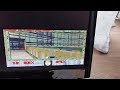
Console:
# /usr/bin/doom-short-demo.sh
Starting D_DoomMain
                            FDoom 0.1
Z_Init: Init zone memory allocation daemon.
zone memory: 0x7fffbd887010, 600000 allocated for zone
Using /mnt/.fdoom.tar/ for configuration and saves
V_Init: allocate screens.
M_LoadDefaults: Load system defaults.
saving config in /mnt/.fdoom.tar/default.cfg
W_Init: Init WADfiles.
adding /usr/share/games/doom/doom1.wad
adding /usr/share/games/doom/bounce1.lmp
Playing demo /usr/share/games/doom/bounce1.lmp.
Using /mnt/.fdoom.tar/savegame/ for savegames
===========================================================================
                            DOOM Shareware
===========================================================================
FDoom is free software, covered by the GNU General Public
License.  There is NO warranty; not even for MERCHANTABILITY or FITNESS
FOR A PARTICULAR PURPOSE. You are welcome to change and distribute
copies under certain conditions. See the source for more information.
===========================================================================
I_Init: Setting up machine state.
M_Init: Init miscellaneous info.
R_Init: Init DOOM refresh daemon - ...................
P_Init: Init Playloop state.
S_Init: Setting up sound.
D_CheckNetGame: Checking network game status.
startskill 2  deathmatch: 0  startmap: 1  startepisode: 1
player 1 of 1 (1 nodes)
Emulating the behavior of the 'Doom 1.9' executable.
HU_Init: Setting up heads up display.
ST_Init: Init status bar.
I_InitGraphics: framebuffer: x_res: 320, y_res: 240, x_virtual: 320, y_virtual: 240, bpp: 16, grayscale: 0
I_InitGraphics: framebuffer: RGBA: 5650, red_off: 11, green_off: 5, blue_off: 0, transp_off: 0
I_InitGraphics: DOOM screen size: w x h: 320 x 200
I_InitGraphics: Auto-scaling factor: 1
101-key keyboard found.
Using keyboard on /dev/tty0.
Ready to read keycodes. Press Backspace to exit.
timed 558 gametics in 2845 realtics (6.864675 fps)
Remark: for now audio would need to be with a USB audio card (not tested, drivers not in the Kernel build).
Boards supported and/or planned :
- Supported:
- Digilent Nexys A7-100T (does not fit in an A35T)
- Planned:
- Digilent Genesys 2
Necessary extra hardware:
- Digilent micro SD card PMOD
- USB PMOD
- https://github.com/Dolu1990/pmod_usb_host_x4/tree/main
- https://github.com/nand2mario/usb_host_pmod
- This store made it avaiable for purchase in 2025 when I requested it (no stock now?): https://miusecntech-muselab.aliexpress.com/store/5940159?
- Optional: USB keyboard (tried Logitech wireless Keyboard)
Features:
- u-boot support
- on-board Ethernet support in u-boot. Network boot not tested but
- framebuffer in Linux at 320x240
- fbdoom and some demos in the rootfs
- USB 1.1 host
- Ethernet
- On-board RMII Ethernet working
- Some USB Ethernet devices supported (tested: TP-Link UE300 10/100/1000 LAN (ethernet mode) [Realtek RTL8153])
- on-board VGA (4 bits)
Not supported yet:
- USB does not work yet in u-boot
I don't have an Arty A7 board, so the work was done on a Nexys A7 board: openhwgroup/cvw#1613
Repo/branch for gateware and software: https://github.com/juanschroeder/cvw/tree/cvwsoc
Gateware:
fpga/generator# make nexysa7
Buildroot: use 'wally_nexysa7_defconfig'
Future plans:
- Lots of cleanup needed
- Try on the Genesys 2 board
- Add DAC for Doom audio (with limited on-board option)
- Add an SDIO peripheral for faster storage operations (boot, rootfs) compared to SPI
- Substitute Xilinx MIG with open source LiteDRAM_ https://github.com/enjoy-digital/litedram
- Substitute other AXI peripherals with open source PULP AXI equivalents
- etc
- Core-V Wally: https://github.com/openhwgroup/cvw
- LiteEth: https://github.com/enjoy-digital/liteeth
- SpinalHDL USB OHCI host: https://spinalhdl.github.io/SpinalDoc-RTD/master/SpinalHDL/Libraries/Com/usb_ohci.html
- PULP project: https://github.com/pulp
- Opencores: opencores.org, https://github.com/klyone/opencores-ip