Interactive browser for analyzing Dynflow task execution data from Foreman/Satellite.
- Dynflow data can be imported from a sosreport or by connecting to a live Foreman/Satellite server (connection is Read Only).
- There are available two interfaces for analyzing Dynflow execution:
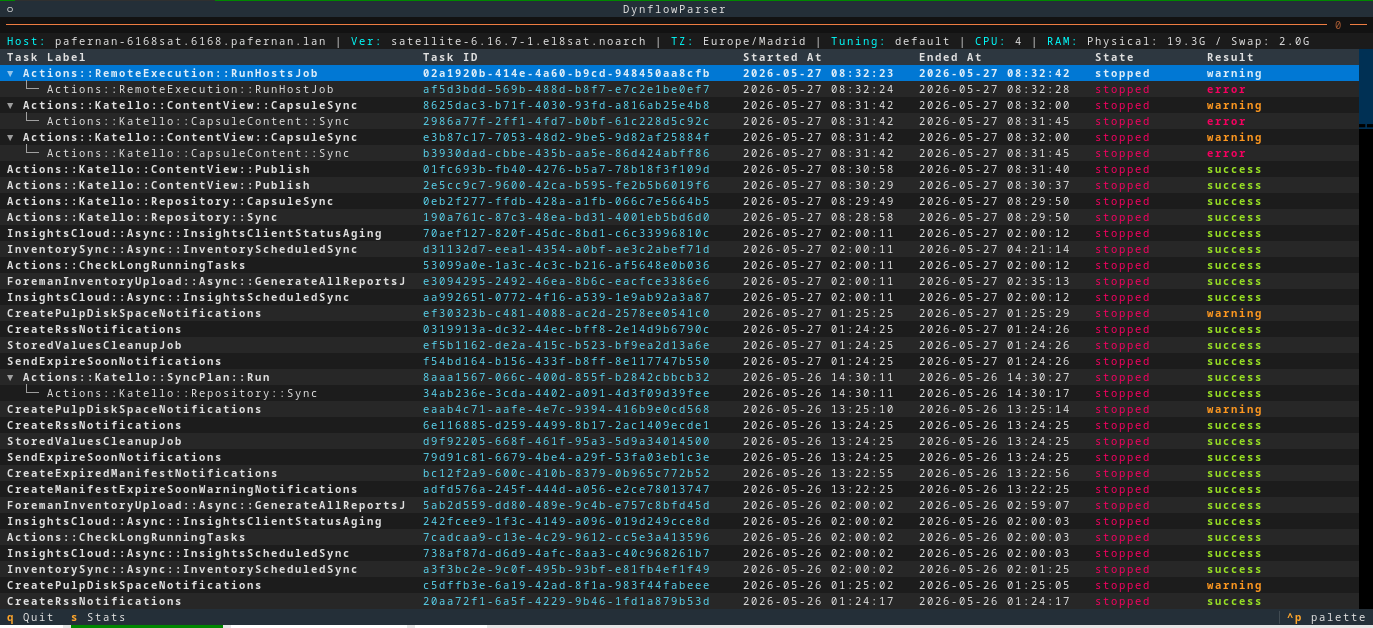
- Terminal Browser: Fast keyboard/mouse-driven specifically designed TUI Dynflow browser.
- HTTPD Service: Web interface accessible from any browser.
- It reads Dynflow csv files from a sosreport and saves the data to a SQLite file.
- Imported data can be filtered using similar sintax as the well known
foreman-rake. E.g:# foreman-rake foreman_tasks:export_tasks TASK_SEARCH='result != success' TASK_DAYS=3 # # dynflowbrowser --search="result != success" --task-days 3
- Imported data can be filtered using similar sintax as the well known
- The database is used to get the Tasks details while browsing using the TUI or HTTP server.
- HTTPD Service can be started in background while using the Terminal Browser.
- Share HTTP or SSH tunnel access with colleagues to dig into the same Dynflow data.
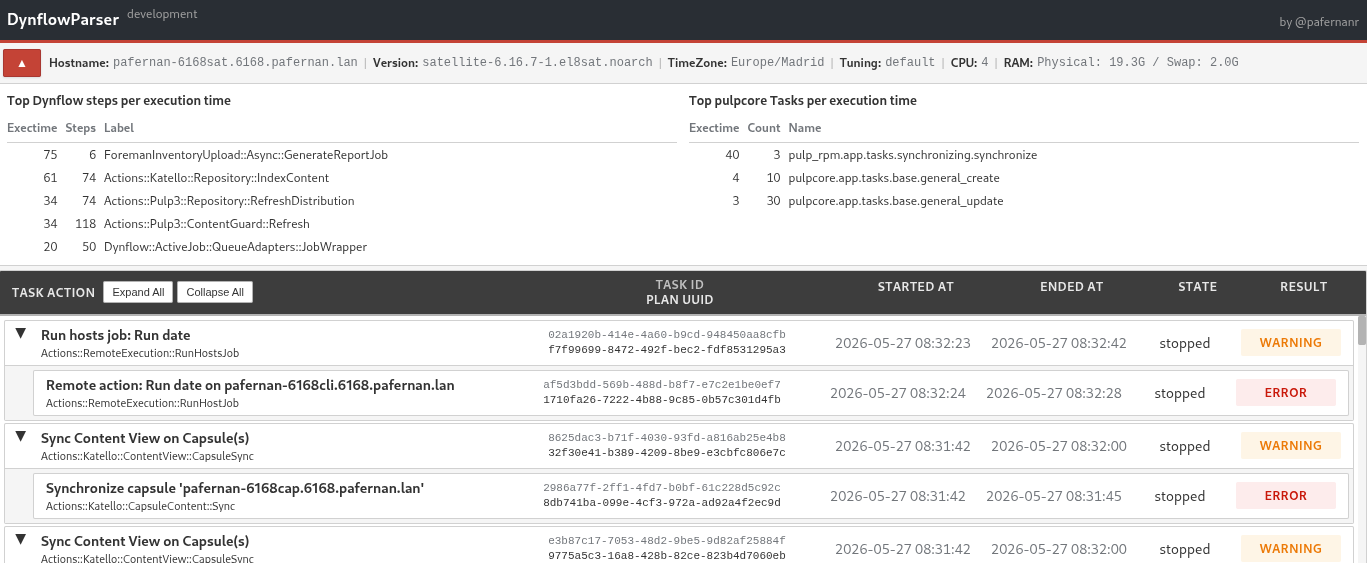
- Dynflow and Pulp statistics by execution time are available for all/specific Tasks.
- Fast CSV parsing with pandas and optimized SQLite operations
- Filter tasks by state, result, search queries, or time range
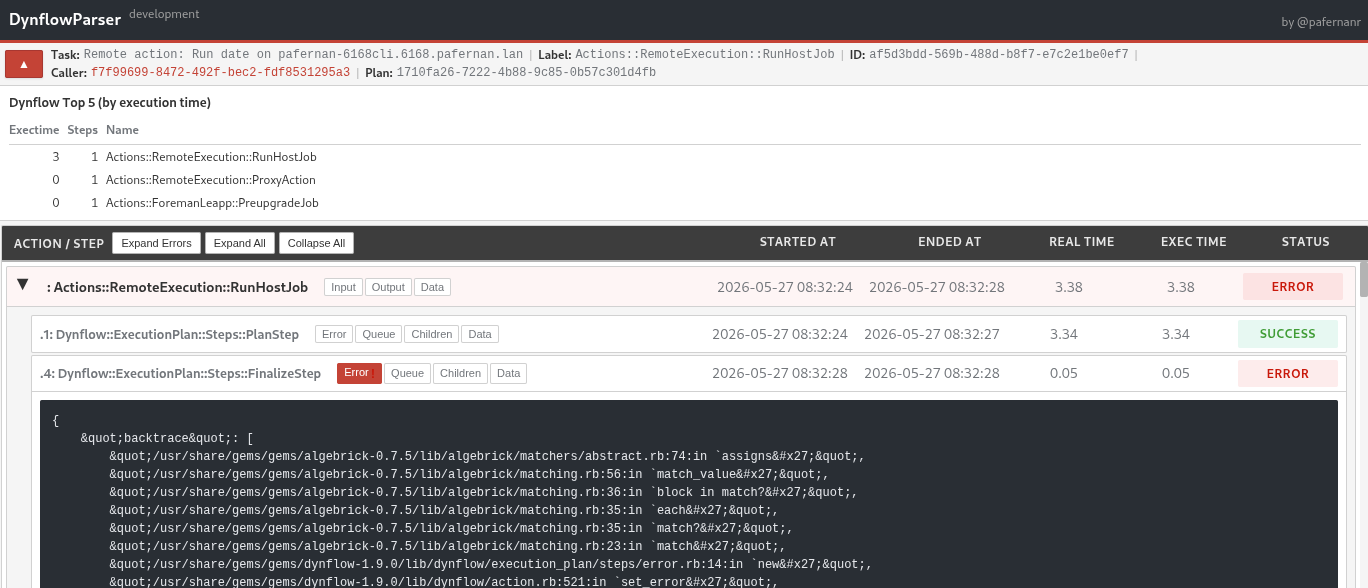
- Expandable task hierarchies with automatic error expansion
- Dynflow and Pulp execution statistics
- Timezone-aware date conversion. Dynflow and Pulp UTC converted to sosreport TZ.
- System context display (hostname, version, CPU, RAM, tuning)
| Tasks list | Task details | Terminal |
|---|---|---|
 |
 |
 |
pip install dynflowbrowserDownload from Latest Release
- Python 3.8+
- Jinja2, pandas, pytz, textual
usage: dynflowbrowser [-h] [-v] [--search SEARCH] [--state {paused,pending,planned,planning,running,stopped}]
                      [--result {error,pending,success,warning}] [--task-days TASK_DAYS] [--dbserver] [-o OUTPUT_PATH]
                      [sosreport_path]

Get sosreport dynflow files and generates user friendly html pages for tasks, plans, actions and steps

positional arguments:
  sosreport_path        Path to sos report folder. Default is current path.

options:
  -h, --help            show this help message and exit
  -v, --version         show program's version number and exit
  --search SEARCH       Search query using foreman-rake syntax. Supports operators: =, !=, ~, !~, >, <, >=, <= and connectors: AND, OR
  --state {paused,pending,planned,planning,running,stopped}
                        Filter by task state. Valid: paused, pending, planned, planning, running, stopped
  --result {error,pending,success,warning}
                        Filter by task result. Valid: error, pending, success, warning
  --task-days TASK_DAYS
                        Import only tasks from last N days. Same as foreman-rake TASK_DAYS parameter.
  --dbserver            Connect directly to PostgreSQL instead of importing CSV to SQLite. Requires PostgreSQL connection details.
  -o OUTPUT_PATH, --output_path OUTPUT_PATH
                        Write output to this path. Default is './dynflowbrowser/'.

Examples:
  # Combine state, result and time filters
  dynflowbrowser --state stopped --result error --task-days 10

  # Complex search query (AND / OR operators)
  dynflowbrowser --search="result != success" --task-days 3
dynflowbrowser --search="label ~ Sync AND state = stopped AND result = error"For systems where sos is not installed or doesn't include dynflow data:
# Run on the Satellite server
dynflowbrowser-export-tasks

# Options:
#  -d DAYS    Number of days to export (default: 14)
#  -f FILTER  SQL filter query
#  -o PATH    Output directory (default: /tmp)
Creates a compressed export file compatible with DynflowBrowser.