Add graphics in terminal support: - Sixel and iTerm2 protocols#2973
Add graphics in terminal support: - Sixel and iTerm2 protocols#2973MatanZ wants to merge 8 commits intotermux:masterfrom
Conversation


|
You are a hero my brother |

|
It works! but gifs are being duplicated on the terminal when expanding and collapsing the keyboard Regular images are being displayed fine
|

This is not a bug. img2sixel displays animations by sending each frame as a different sixel with a command to send the cursor to position (1,1) between them (CSI H). This causes each frame to overwrite the previous one. When you remove the keyboard, the screen gets taller, and termux handles this by scrolling down, so the previous frame which was at position (1,1), is now lower, so it is not covered by the following frames. |
|
oh, so everything's working fine then |
Here's a small guide for anyone else who wants to test this PR
|

|
Has issues with big images. For example when using Test image (7779x4191): https://user-images.githubusercontent.com/107305601/188685258-87eb0704-12c5-4b43-a47a-a1deae99e208.jpg Device config: Pixel 5, Android 13, 8 GiB RAM. |
Image displays fine on termux-monet with Device Config: Xiaomi POCO F1, Android 12L, 6GB RAM
|


|
I believe if MatanZ gets this imported and issue 142 gets solved, then MatanZ gets my $100 bounty on Bountysource for that issue. It will be well worth it!! :-D |
|
Thanks, but anyway there is some proper workaround needed to avoid OOM. Larger heap indeed can solve it for a particular case. Not all devices have lots of memory and part is always used by other apps including system, max heap size also vary between device models. Unfortunately I can't propose the best way to implement that, but I think refusing to display supersized bitmaps is better than crashing all sessions. For example if dimensions are too big, user can get a toast message describing the issue. Command line programs should not be able to crash terminal or cause resource overload by just sending some control sequence (no matter whether it is sixel or something else). |
I don't believe that making the terminal refuse to display oversized images is necessary, since most of command line programs always will be able to crash the application when overloaded or abused. That would only limit how the user should use his terminal, creating a "fake error" that doesn't even exist for some users, like the people who has enough RAM for displaying those images. Those people who can display the images wouldn't be able to. But if you guys decide that's the best thing to do, i propose placing a limit only for devices with less than 4GB RAM. |
Just so I can get more testing from the nice people who test my code:
|
|
Tested with imagemagick, and it's displaying fine on my side |
I hope this solves the problem. I put a try{}catch() block around each bitmap operation that allocates memory. This should be similar to what you suggest - ignoring large images, without hard coding a definition of large. I believe it is better without a toast notification. Usually when a terminal cannot (or does not want to) perform a certain operation it just ignores it, without notifying the user. Maybe a line in the log. |

|
@MatanZ Please use dedicated class for long sixel logic in Trying to catch Checking current memory before even trying to display large image could be done too. https://developer.android.com/topic/performance/graphics/load-bitmap#read-bitmap
This is the way. No toasts. Being done in other places too. |
The way graphics display is implemented, it is not possible to implement kitty protocol. It is possible to implement very simplified ("put image here"), but image and placement management, as well as combining text and images is impossible. |
Refactored some code to two new classes. I don't see anything in TerminalEmulator that belongs in another class, or which may become clearer.
I am not sure this is a good idea. I would have to add assumptions about how much memory is used by the android for various bimap manipulations (decode, scale, resize). I'll settle for trying anything the user asks for, and catching the errors. I did not crash termux with this, with all the above, and various other large images. |
|
Thanks. Will take another look later myself during merging. You can also let |
|
Seems like there is a problem with some GIFs. Notice the artifacts at the left part. Same as #142 (comment)? Gif file doesn't seem to be corrupted. screen-20220908-005128.2.mp4This doesn't happen with another gif: screen-20220908-005944.2.mp4 |
|
I cannot see those videos. And can you please include the actual files used, and the commands that cause the problem? |
|
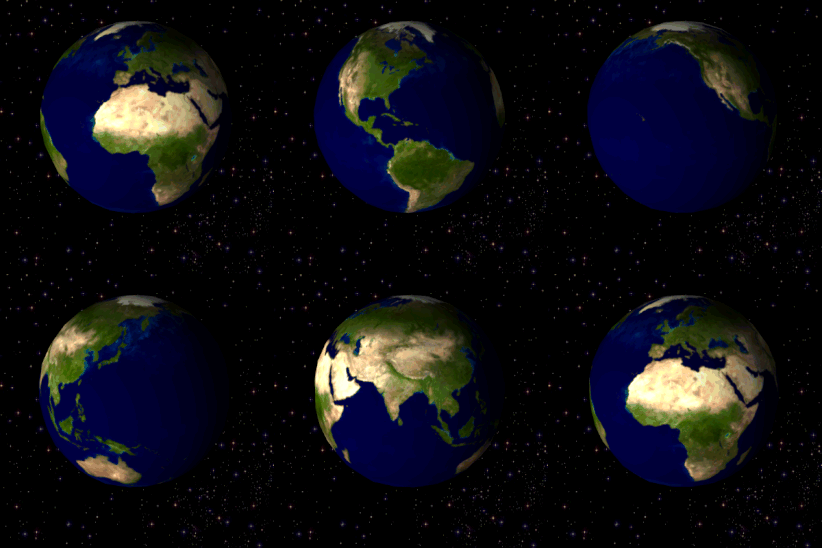
Perhaps the issue with Termux I can reproduce it when connected over SSH to Termux from Konsole on laptop. But I can't reproduce the issue when animation is played via Screenshot with the problem (notice the block with lines on the left side): You can get the file from https://upload.wikimedia.org/wikipedia/commons/thumb/2/2c/Rotating_earth_%28large%29.gif/274px-Rotating_earth_%28large%29.gif libsixel package version differences:
The difference in a build time configuration. Though maybe OpenSUSE also applies some patches to the package. |


Fixes issue with some GIFs.

See my comment at termux/termux-app#2973 (comment)

Also enable libcurl support.
|
Commit termux/termux-packages@b72be3c resolves |

Fixes issue with some GIFs.

See my comment at termux/termux-app#2973 (comment)

Also enable libcurl support.
This comment was marked as off-topic.
This comment was marked as off-topic.
This comment was marked as off-topic.
This comment was marked as off-topic.
|
If some package doesn't work - open a new issue in https://github.com/termux/termux-packages/issues. |


Sixel coverage:
Conclusion: All applications that uses and/or supports Sixel works properly iTerm2 coverage:
Conclusion: Not all applications that uses and/or supports iTerm2 works properly |


Report InfoUser Action: Crash DetailsCrash Thread: Crash Message: Stacktrace |


Implement the following CSI escape sequences from
https://invisible-island.net/xterm/ctlseqs/ctlseqs.html:

> CSI Ps ; Ps ; Ps t
> [..]
>    Ps = 1 4  ⇒  Report xterm text area size in pixels.
>    Result is CSI  4 ;  height ;  width t
> [..]
>    Ps = 1 6  ⇒  Report xterm character cell size in pixels.
>    Result is CSI  6 ;  height ;  width t

Extracted from changes in termux#2973
by @MatanZ and adopted to play well with the just merged termux#3098 (.ws_xpixel
and .ws_ypixel values in winsize).
Implement the following CSI escape sequences from
https://invisible-island.net/xterm/ctlseqs/ctlseqs.html:

> CSI Ps ; Ps ; Ps t
> [..]
>    Ps = 1 4  ⇒  Report xterm text area size in pixels.
>    Result is CSI  4 ;  height ;  width t
> [..]
>    Ps = 1 6  ⇒  Report xterm character cell size in pixels.
>    Result is CSI  6 ;  height ;  width t

Extracted from changes in termux#2973
by @MatanZ and adopted to play well with the just merged termux#3098 (.ws_xpixel
and .ws_ypixel values in winsize).


…n` only on Android 5 as later function is not available on it and will cause a runtime crash

The change was done in 6c00f1f via termux#2997
… text received for setting to clipboard from terminal and fix error format typo
… for OSC/DCS/APC in `TerminalEmulator`, add support for fast path for OSC/DCS terminal commands, and properly clear buffer after commands

Rename `ESC_P` to `ESC_DCS`, `ESC_APC_ESCAPE` to `ESC_APC__ESC`, `doDeviceControl()` to `doDcs()`, `doOsc()` to `receiveOsc()`, `doOscEsc()` to `receiveOscEsc()`, `doApc()` to `receiveApc()`, `doApcEscape()` to `receiveApcEsc()`, `doOscSetTextParameters()` to `doOsc()`.

`mOSCOrDeviceControlArgs` `StringBuilder` buffer has been renamed to `mTerminalControlArgs` as it stores args for all 3 OSC/DCS/APC commands.

Additionally, for `mTerminalControlArgs`, only `setLength(0)` was called at end of commands to clear it, which will only update internal length marker and not reduce internal array capacity, and to deallocate extra memory `trimToSize()` needs to be called, which creates another smaller array. So if an OSC/APC command was ever received with `MAX_OSC_STRING_LENGTH`, then the buffer size would never be brought back down to a lower capacity (default 16bytes), which would have slightly affected performance/memory for later smaller commands. That is fixed now by `clearTerminalControlArgs()` with a newer logic for freeing memory, which is required to free memory for long commands like sixels or iterm image to be added later.

`ensureTerminalControlArgsCapacity()` has also been added to allow control commands to increase buffer capacity to reduce/prevent reallocation and copying of memory as more data is received.

`collectTerminalControlArgs()` has been updated with better error message, catches OOM in case caused when buffer capacity is increased when appending, and returns `false` if an error occurred like an overflow/OOM so that callers can terminate processing. This was required because `receiveApcEsc()`/`receiveOscEsc()` functions appended `ESC`/`27` and then appended `b` without checking if `collectOSCArgs()` had already failed when collecting `ESC`, triggering a second error. `collectTerminalControlArgs()` is now also used for `DCS` commands properly handle errors/exceptions.

`MAX_OSC_STRING_LENGTH` has been renamed to `TERMINAL_CONTROL_ARGS__MAX_LENGTH` and the length has been increased from `8192` to `16384` to receive larger sixel data and iTerm image data. With `16384`, around 12KB images can be received with legacy `File=` command, otherwise with `8192`, any image over 6KB would have triggered an overflow. Sixel commands strings can also be split into larger parts in future with the new limit.

The `TerminalEmulator.processCodePoint()` processes bytes received by the terminal, however there are around ~30 case comparisons done before `ESC_OSC` or `ESC_DCS` is processed for each byte received. While it may be necessary for general commands, some commands like sixel or iterm image data parse their own input byte, which may be random data, so a fast path has been added at start of `processCodePoint()` to call `doOsc` or `doDcs()` if enabled by the currently running command. Fast path can be enabled for OSC commands via `setOscTypeVariables()` and for `DCS` commands via `doDcs()`.

OSC commands can also prevent CR/LF characters being printed by enabling `mIgnoreCrLfForOsc` via `setOscTypeVariables()`.

Escape states for Terminal APC commands fast path added in f35063d to `TerminalEmulator.processCodePoint()` has also been fixed.
- In TerminalEmulator, interpret sixel sequences, and send them to
  TerminalBuffer for constructing a bitmap.
- Sixel sequences may be longer than 8192 characters, so break them in
  natural places ($,-,#), rather than collecting all in the buffer.
- The bitmap is sliced to character cell sized slices, and each the
  the style attribute is used to store which bitmap slice is displayed
  in place of this character.
- In TerminalRenderer the style is interpreted, and drawn using
  drawBitmap, instead of drawText.

Support iTerm inline image protocol (OSC 1337):

- Using the same bitmap display infrastructure introduced for sixels.
- Collects the image data outside of the OSC buffer.
- Ignoring some parameters.

Small emulator changes:

- Also eat APC sequences, not echoing to screen.
- Fix `CSI 14 t` to give actual size
- Add `CSI 16 t`
- Add `4` (sixel) to device attributes
…age (`OSC 1337`)

Support for displaying bitmaps inside the terminal has been added via `TerminalBitmap` which can be created from image `byte[]` or sixel bitmap. The bitmaps are sliced to character cell sized slices. The `TerminalBuffer` stores a map for bitmap number to the `TerminalBitmap` loaded in the terminal. The bitmap number and coordinates are encoded in the `long` `TerminalRow.mStyle` for the `TerminalRow` character of a column by `TerminalBitmap#buildOrThrow()` by getting encoded value from `TextStyle.encodeTerminalBitmap()`. The `TerminalRenderer.render()` then checks during rendering terminal output whether a character at a row/coloumn index is a bitmap instead of text by calling `TextStyle.isTerminalBitmap()`, then draws it using `Canvas.drawBitmap()` instead of `Canvas.drawText()`.

Sixel images can be created with Sixel Device Control String command sent via `DCS q s..s ST` or `DCS P1; P2; P3; q s..s ST`.

- The `TerminalEmulator` interprets sixel sequences, and sends them to `TerminalBuffer` for constructing a `TerminalSixel`. Once the sixel command has been completely processed, a `TerminalBitmap` is created from the `TerminalSixel`. If an error occurred during processing (like OOM), then remaining sixel command is completely read, but is ignored and no sixel is drawn (done by setting `mTerminalSixel` to `null` so that `TerminalBuffer.sixelReadData()` ignores further commands).
- Since a sixel sequence can be very long to render a full image and can have length greater than `TERMINAL_CONTROL_ARGS__MAX_LENGTH` (`16384`), the entire sequence is not stored in the `mTerminalControlArgs` buffer before being processed as it will result in an overflow error, instead as soon as length crosses `TERMINAL_CONTROL_ARGS__MAX_LENGTH / 2` and a complete sixel sub command (`#`, `!`, or `"`) has been received, it is immediately processed, and then further commands are read after emptying buffer.
- If "rough" horizontal and vertical size of image is received at start of sixel data string with a `Raster Attributes` command, like done by `img2sixel` command, then sixel commands args buffer capacity (`mTerminalControlArgs`) is increased and sixel bitmap in `TerminalSixel` is resized at start, instead of having to keep resizing buffer/bitmap as more sixel data is received, which has a performance hit due to memory reallocations and copying.
- The `4` (sixel) value has been added to `CSI` `Primary Device Attributes` terminal response.

The `img2sixel` command can be used to display sixel images after installing with `libsixel` package with `pkg install libsixel`, like with `img2sixel --width=1000px image.jpg`.

To manually send an escape sequence, check the `digiater.nl` link below, but it is too cumbersome to create images large enough to be easy viewable in the terminal.

See Also:
- https://vt100.net/docs/vt3xx-gp/chapter14.html
- https://en.wikipedia.org/wiki/Sixel
- https://www.digiater.nl/openvms/decus/vax90b1/krypton-nasa/all-about-sixels.text

iTerm images can be created with `1337` Operating System Control command.

- Both `File=` and `MultipartFile=` (chunk based) protocols are supported. The `inline` parameter should be `1` to display inline images in the terminal. Downloading images to Downloads folder with the value `0` will be ignored as that is not supported.
- The escape sequences/image data cannot be greater than `TERMINAL_CONTROL_ARGS__MAX_LENGTH` (`16384`) bytes if sent via (`File=`) protocol, otherwise it will be ignored with an overflow error. For larger images, send images via `MultipartFile=` protocol in chunks with `FilePart=`, the `imgcat` utility uses that with 200-byte chunks if `--legacy` flag is not passed.
- The `TerminalEmulator` interprets iTerm images sequences and creates an `ITermImage` to process parameters and store the base64 encoded image sent. Once all the data has been received, which can be over multiple `OSC` commands for `MultipartFile=` protocol, the encoded image is decoded to a `byte[]`, which is then passed to `TerminalBuffer`, which creates a `TerminalBitmap` for the image.

The `imgcat` utility can be used for sending images, like with `imgcat --width 1000px image.jpg` (`MultipartFile=`) or `imgcat --width 1000px --legacy image.jpg` (`File=`).

To manually send an escape sequence, run `echo -en '\e]1337;File=inline=1;keepAspectRatio=0;width=1000px;:' ; base64 -w 0 ./image.jpg ; echo -e '\e\\'` (`File=`).

See Also:
- https://iterm2.com/documentation-images.html
- https://iterm2.com/utilities/imgcat
- https://github.com/gnachman/iTerm2-shell-integration/blob/d1d4012068c3c6761d5676c28ed73e0e2df2b715/utilities/imgcat

|
Hi @MatanZ, thanks for implementing sixels and iTerm images. Sorry, it took this long to look over this, didn't get time (not that I had time right now). I have added my changes in 948ffa4 and 430ae28 primarily, but have kept your old ones in a7f2872 for now after rebasing against Users should thoroughly test the terminal for both sixel and iterm images, and also other text editors, etc in case something got broken. I have done by own testing for the entire protocols, but not a variety of images (primarily tested attached interstellar image). Once testing has been done and @MatanZ reviews the changes, I will merge the pull and make a new Termux app version release for F-Droid users. You can grab APK build for current push from https://github.com/termux/termux-app/actions/runs/24187595506?pr=2973 Commit message for 430ae28 is below. Added: Add terminal support for Bitmaps, Sixel ( Support for displaying bitmaps inside the terminal has been added via Sixel images can be created with Sixel Device Control String command sent via
The To manually send an escape sequence, check the See Also:
iTerm images can be created with
The To manually send an escape sequence, run See Also:
284x177

1920x1200

|


|
finally I can get termux again |

|
If someone who already has Termux installed wants to test this without necessarily having to back up, erase and then later reinstall the regular Termux, they can use this I also built a In order to avoid speculation from anyone who notices that the build I linked also currently contains this other PR, I would like to acknowledge that and also emphasize that the termux-generator links I send are not for replacing or competing with the official Termux as a fork with more PRs merged, so that detail should not be interpreted that way. I send them because I want PRs that "request testers" to be accessible to anyone who only has 1 device and for whom uninstalling and reinstalling the regular Termux constantly while testing PRs is frustrating or inconvenient. |
|
I have tested this in comparison to the 
However, I do seem to have found a sixel image test case that When I use 
however, if I reduce the resolution of 
That seems somewhat reasonable; there has to be a size limit at some point, and maybe the size limit of |


|
I see, I think 2048 is a reasonable limit for sixel. I've tested 
however, If iterm2 is just more efficient than sixel, it's probably best for the size limit of sixel to be smaller than the size limit of iterm2 (as it currently is) |

|
There are some discussions at following links about size limits, I choose 2048x2048 (which uses 16MB memory) as max sixel bitmap dimensions as android devices are generally more stricter with RAM allocation for apps than linux distros and will trigger an OOM, especially with all the other data and processes running in termux. Only issue seems to be that sixel command should still have been read completely without being printed to screen, and no image displayed, just like iterm. contour-terminal/contour#680 |
|
iterm (or possibly imgcat) is around 20 times faster than sixel, I did calculations and rendering same image with iterm was around 7-10ms on average, compared to around 200ms or more for sixel. |
It displays no output for a small range of sizes around 2049-2100, then after that it starts displaying this large text artifact in the terminal, but shows similar messages in 
|
|
Can you post logcat errors for that? |
Ah, a repeat value of 4500 is considered as an invalid sixel sequence and further input is not read, and that gets printed to screen. Will have to think on whether to continue reading or keep as is, probably former as 4500 is a valid integer sent by client, we just dont accept it. Other sixel command limits would need to be looked too. |
I understand supporting I suggest removing the arbitrary 16K limit for both |
Agan, I prefer to avoid unnecessary arbitrary limits. Termux does run on screens wider than 2048 pixels, and programs might want to use all that. Images need not be square, so one might want to draw a 2300x50 header for the page. If you want to reduce the chance of OOM, maybe limit actual area, instead of each dimension separately. Not that there are no problems with supporting large sixels. lsix for example, uses maximum sixel size rather than actual screen width to decide its display width. |
Do you happen to know whether Konsole and other terminal emulators are really fully unlimited, or do they just have a size limit that's really big? |
|
There actually need to be limits, for reporting in XTSMGRAPHICS escape sequence. In foot it is 10000 pixels. In konsole, 16384. |
|
Maybe if the limit were set to something around 8192 in Termux, that would be an acceptable compromise? That is somewhat in between the limit agnostic-apollo wanted, and the limits of other terminals. Estimating based on Agnostic-apollo's previous calculation, I think that would put the maximum memory use somewhere in between 100 and 200 MB, which isn't actually much even on Android. (assuming only attempting to display one large image at a time) |


18 participants


This commit implements graphics in the terminal, including two different protocols for placing images:
I ran this for a few days, and it seems to me that some people tried it from #142, and saw no crashes, so I hope it is reasonable safe.
TerminalBuffer for constructing a bitmap.
natural places ($,-,#), rather than collecting all in the buffer.
the style attribute is used to store which bitmap slice is displayed
in place of this character.
drawBitmap, instead of drawText.
Support iTerm2 inline image protocol (OSC 1337):
Small emulator changes:
CSI 14 tto give actual sizeCSI 16 t4(sixel) to device attributesFor those who tried this branch already, I force pushed to it in order to remove changes that may not be acceptable.
The main known issue is that if graphics sequence is interrupted (in specific places), the emulator remains stuck waiting for the sequence to end, thus ignoring all input. This requires terminal reset from the menu.