


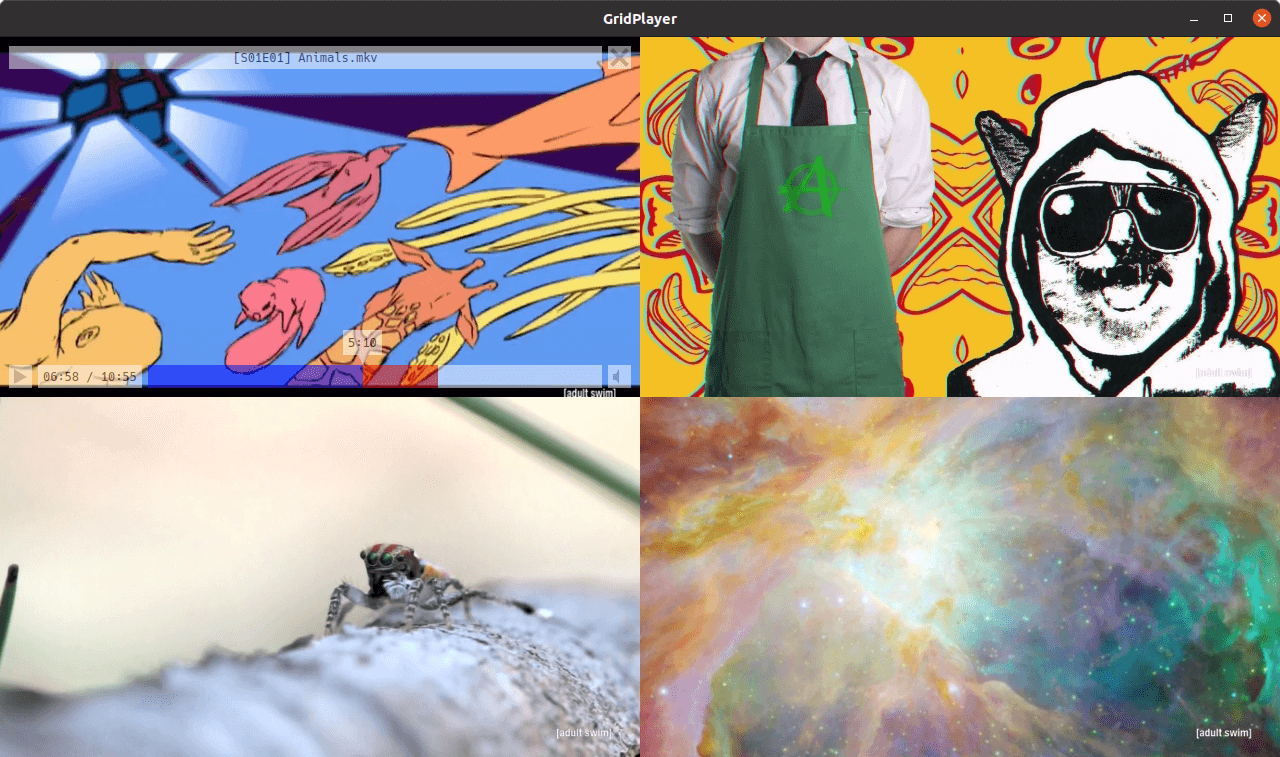
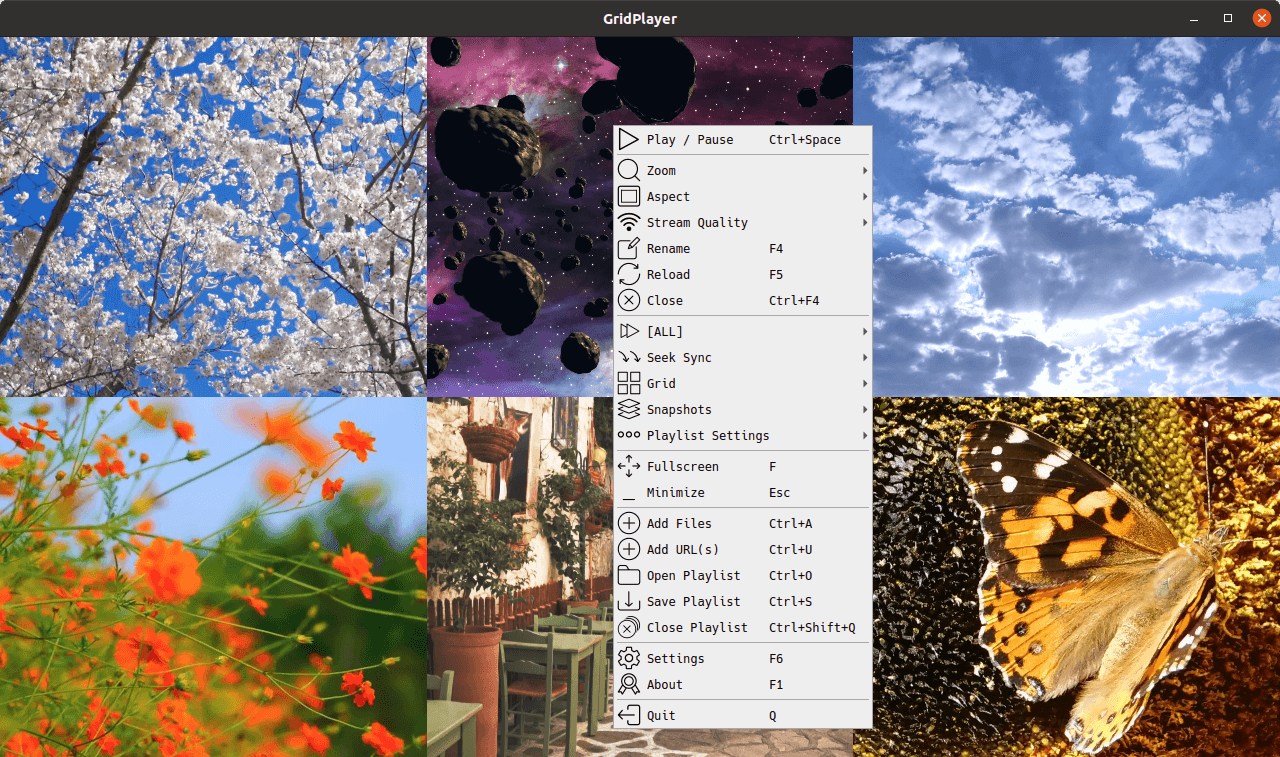
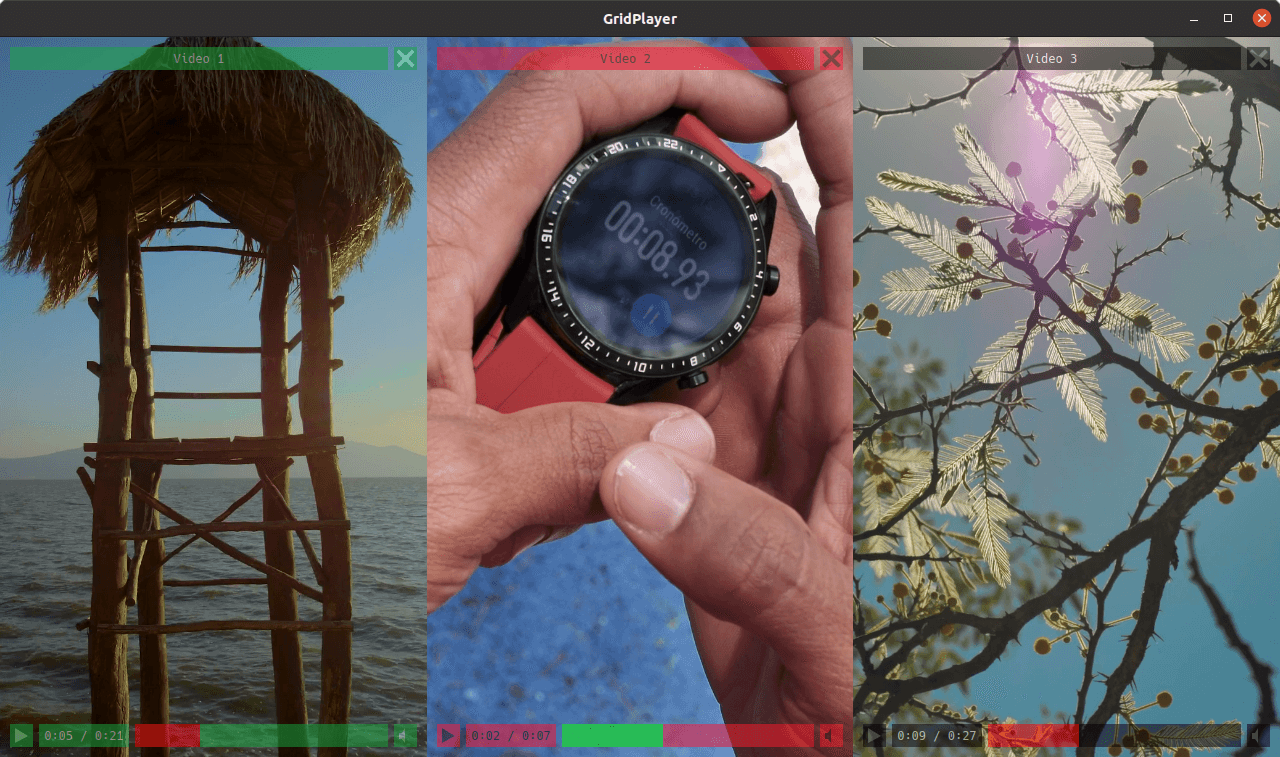
Simple VLC-based media player that can play multiple videos at the same time. You can play as many videos as you like, the only limit is your hardware. It supports all video formats that VLC supports (which is all of them). You can save your playlist retaining information about the position, sound volume, loops, aspect ratio, etc.
- Cross-platform (Linux, Mac, and Windows)
- Support for any video and audio format (VLC)
- Support for (almost) any streaming URLs (streamlink + yt-dlp)
- Cookie support for streams that need a login
- Hardware & software video decoding
- Control video aspect, playback speed, zoom
- Set loop fragments with frame percision
- Configurable grid layout
- Easy swap videos with drag-n-drop
- Playlist retains settings for each video
GridPlayer now supports internationalization! Anyone with a handful of free time and desire to support this project is welcome to contribute. No coding skills or special software required, all dialogs are well documented and there are not many strings to translate.
Huge thanks to every contributor!


Via scoop:
scoop install gridplayerCompatible with Windows 7, 8, 10, 11.



For better system integration install via Flathub.
The AppImage was built using Ubuntu Focal Fossa libraries, so compatibility is Ubuntu 20+.
You may need to set execute permissions on AppImage file in order to run it:
chmod +x GridPlayer-0.5.5-x86_64.AppImage
DMG image is not signed and targets Apple Silicon (arm64). You will have to add an exception to run this app.
- How to open an app that hasn’t been notarized or is from an unidentified developer
- Open a Mac app from an unidentified developer
If you get "GridPlayer is damaged and can't be opened" error, run this command in the Terminal app:
sudo xattr -rd com.apple.quarantine /Applications/GridPlayer.appInstall with UV
uv tool install gridplayerPython 3.10 or later required.
This type of installation will also require VLC installed (Windows & Mac) or a vlc package (Linux) present in your
system.
Please refer to VLC official page for instructions on how to install it.
Some distros (e.g. Ubuntu) might also require libxcb-xinerama0 package.
uv tool install git+https://github.com/vzhd1701/gridplayer.gitThe same notes about the Python version and external packages from above apply here.
gridplayer [options] [FILE|URL ...]Any arguments that are not options are treated as media files, .gpls playlists, or streaming URLs
(https://, rtsp://, ...) to open on startup. Unrecognized options are rejected with an error; use -- to open
dash-prefixed filenames.
| Option | Description |
|---|---|
--user-data-dir PATH |
Store settings and log files in PATH instead of the default location. Relative paths are resolved against the current working directory. |
--version |
Show the application version and exit. |
--help |
Show the available options and exit. |
By default, settings and logs are stored in the system application data directory (see below). On the Windows portable
build, if a portable_data folder exists next to the executable, it is used automatically.
You can point GridPlayer at any directory for its data:
# via command line option
gridplayer --user-data-dir ./my_data

# via environment variable
export GP_USER_DATA_DIR=/path/to/my_data
gridplayer
The command line option takes precedence over the environment variable. Setting either one on all platforms and installation types stores data in the given directory instead of the standard system location.
Without a custom user data directory, settings (settings.ini) and log (gridplayer.log) files are stored in the
standard application data location:
| Platform | Location |
|---|---|
| Windows | C:\Users\<USER>\AppData\Roaming\vzhd1701\GridPlayer |
| Linux | ~/.local/share/vzhd1701/GridPlayer |
| macOS | ~/Library/Application Support/vzhd1701/GridPlayer |
Settings -> Open data folder opens this directory, whichever package you are running.
On Linux, XDG_DATA_HOME is respected instead of ~/.local/share when set. Sandboxed packages store the directory
inside their own sandbox: ~/.var/app/com.vzhd1701.gridplayer/data/vzhd1701/GridPlayer for Flatpak, and
~/snap/gridplayer/current/.local/share/vzhd1701/GridPlayer for Snap.
GridPlayer supports two video output modes:
- Hardware (default) mode uses available GPU to render video. This mode offers high performance and is a recommended mode.
- Software mode is entirely independent of GPU and only uses the CPU to render video. This mode may cause a high CPU load with high-resolution videos.
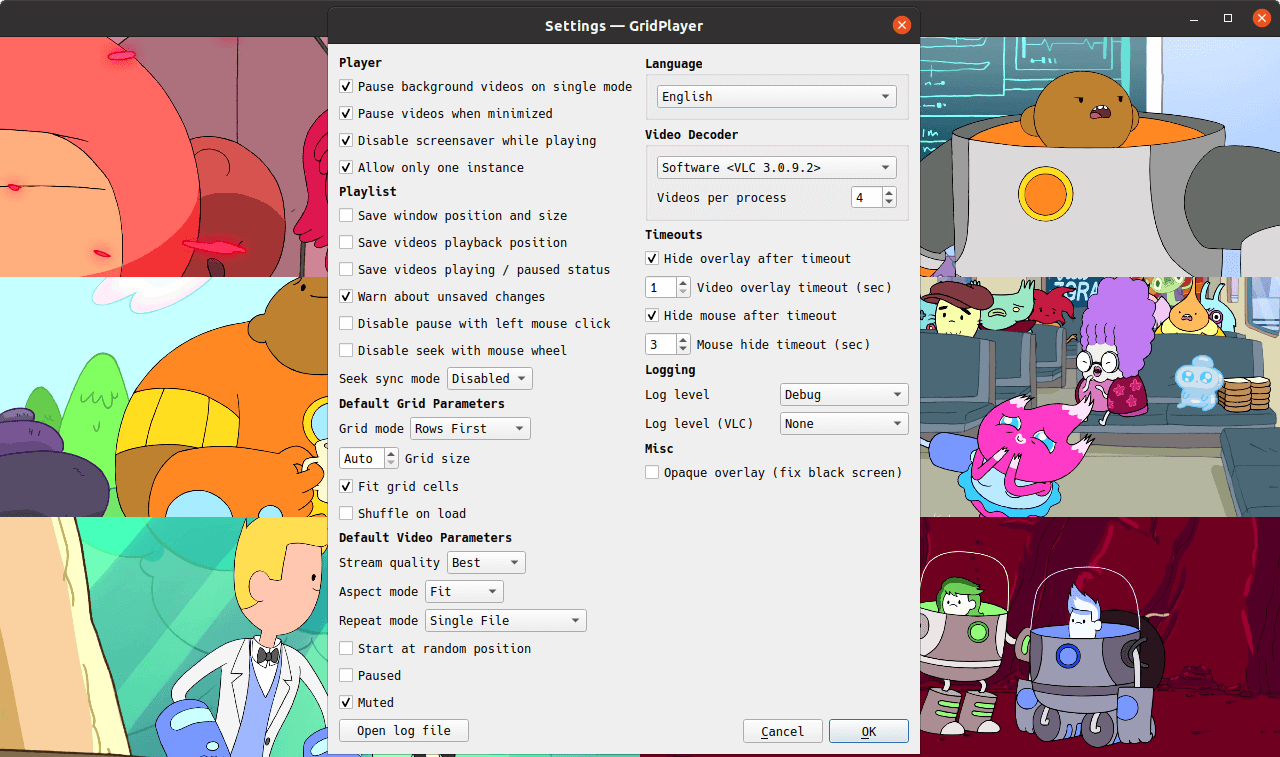
Due to libvlc software library limitations, video decoding is split into parallel processes. You can control how many videos are handled by a single decoder process using the "Videos per process" setting. Setting this option too high may cause a high CPU load and application freeze. The optimal value is 4 videos per process.
There are also single-process ("SP") modes. "Hardware SP" and "Software SP" handle video decoding within the same process in which GridPlayer runs. They are not recommended to use with many videos (>4-6) because they may cause high CPU load and application freeze.
Due to OS inter-process restrictions, "Hardware SP" is the only available hardware mode in macOS.
Some links won't resolve without a login, especially YouTube with it's "Sign in to confirm you're not a bot". GridPlayer can store cookies and pass them to both yt-dlp and Streamlink.
Go to Settings -> Streaming -> Cookies and import a cookies.txt file, or paste one from the clipboard.
Export from a private window, and close it when you're done:
- Open a private browsing window and log in to your site (youtube in this example).
- In the same tab, go to
https://www.youtube.com/robots.txt(any static page on the site). - Export/copy cookies for the site with a browser extension (FF, Chrome).
- Close the window without logging out. Logging out kills the session you just exported.
- Import the
cookies.txtfile into GridPlayer, or paste it.
YouTube rotates cookies on open tabs. If you export from your normal session it will go stale within hours. A private window you never reopen has nothing left to rotate them. For the same reason, don't use one export in two places at once.
More detail in the yt-dlp FAQ.
cookies.txt in the user data directory, in the standard Netscape format.
The file isn't encrypted, so treat it like a password. Import only the domains you need, and clear the store when you're done with them.
A proxy, an address family and a user agent shared by everything GridPlayer fetches with: yt-dlp, Streamlink and the player itself.
Go to Settings -> Streaming -> Network.
| Setting | What it does |
|---|---|
| Proxy | System follows the machine's own proxy settings. None connects directly, ignoring them. Custom takes an address of your own. |
| Proxy address | http://host:port, or socks5h://host:port to resolve names at the proxy rather than locally. |
| Request timeout | How long to wait on a request before giving up. Applies while a link is being resolved, not while it is playing. Auto leaves each tool on its own default, which is 20 seconds for both. |
| User agent | How the player identifies itself. Auto leaves each tool on its own. A link that came with a user agent of its own keeps it. |
| Force IPv4 | Skip IPv6. Fixes a connection that stalls on IPv6 that is offered but does not work, and sites that turn away your IPv6 address. |
| Verify TLS certificates | Turn off only for a proxy that signs traffic with its own certificate. |
http and https links only, apart from the user agent.
The player has no proxy setting it honours everywhere, no way to be held to one address family, and no
way to be told whose certificates to trust. So when any of those is set, links stop being handed to the
player and are fetched by GridPlayer instead, then served to the player from 127.0.0.1.
Links of other kinds — rtsp, rtmp and so on — are opened by the player itself and go out directly.
Only the user agent reaches those. If you need those proxied too, proxy the whole machine.
YouTube scrambles its stream addresses with a script that has to be run to undo. GridPlayer doesn't ship an engine to run it with, so if YouTube links stop playing, install one of these and restart:
| Engine | Size | Speed | |
|---|---|---|---|
| Deno | ~110 MB | fastest | Recommended. Sandboxed by default. |
| Node | ~80 MB | fastest | Version 22 or newer. Just as good, and you may have it already. |
QuickJS (qjs) |
~2 MB | ~7x slower | Tiny, but adds a few seconds to every YouTube link. |
| Bun | ~90 MB | fast | Version 1.2.11 or newer. |
Any one of them is enough, and GridPlayer uses the best one it finds. It looks in these places, in order:
- The folder named in Settings -> Streaming -> Link Resolution -> JavaScript runtime, if you set one.
- The GridPlayer data directory — drop the binary in next to
settings.ini. The Open data folder button at the bottom of the settings window takes you there. - The usual install locations: your
PATH,~/.deno/binand~/.bun/bin, and on macOS the Homebrew folders (/opt/homebrew/bin,/usr/local/bin).
Installing an engine the ordinary way is normally all it takes. Two cases need a hand:
- Snap can't see anything outside itself, and hidden folders like
~/.denoare blocked, so put the binary in the data folder. - Node managed by nvm lives in a folder per version, which nothing can guess. Name it in the settings.
Settings -> Streaming -> Link Resolution -> Test a YouTube link names the one that will actually be used and where it is, since only one of several installed ever runs.
Not every link needs one. YouTube often hands out addresses that need no unscrambling at all, and nothing else GridPlayer plays uses this. It's worth installing when YouTube specifically starts failing.
You need to allow GridPlayer snap to access removable storage devices via Snap Store or by running:
sudo snap connect gridplayer:removable-mediaYou will also see following error if you run GridPlayer from terminal:
GLib-GIO-WARNING **: Error creating IO channel for /proc/self/mountinfo: Permission denied (g-file-error-quark, 2)To fix this, you need to allow GridPlayer snap to access system mount information and disk quotas via Snap Store or by running:
sudo snap connect gridplayer:mount-observeIf no compositor is running, GridPlayer switches the overlay to opaque automatically. If the overlay is still a black screen, switch on "Opaque overlay (fix black screen)" checkbox in settings.
Depending on the window manager, the overlay might be a bit glitchy with the hardware decoder. Enabling compositor might help.
If you found a bug or have a feature request, please open a new issue.
If you have a question about the program or have difficulty using it, you are welcome to the discussions page. You can also mail me directly, I'm always happy to help.
This software was build using
- Python by Python Software Foundation
- Licensed under Python Software Foundation License
- Qt by Qt Project
- Licensed under GPL 2.0, GPL 3.0, and LGPL 3.0
- VLC by VideoLAN
- Licensed under GPL 2.0 or later
- PyQt by Riverbank Computing
- Licensed under Riverbank Commercial License and GPL v3
- python-vlc by Olivier Aubert
- Licensed under GPL 2.0 and LGPL 2.1
- pydantic by Samuel Colvin
- Licensed under MIT License
- streamlink by Christopher Rosell, Streamlink Team
- Licensed under BSD-2-Clause License
- yt-dlp by Contributors
- Licensed under Unlicense License
- Hack Font by Source Foundry
- Licensed under MIT License
- Basic Icons by Icongeek26
- Licensed under Flaticon License
- Suru Icons by Sam Hewitt
- Licensed under Creative Commons Attribution-Share Alike 4.0
- Clean App Download Buttons by Tony Thomas
- Licensed under MediaLoot License
- Flag Icons by Panayiotis Lipiridis
- Licensed under MIT License

VenusGirl 886 words ko
|

Sylvain LOUIS (LOUIS_Sylvain) 886 words fr
|

GBS ~ TECH (Gabriel-BS1) 886 words pt-BR
|

Göran (Granberg) 875 words sv-SE
|

Roy Hendum (royhendum) 875 words no
|

z Z (zxas) 851 words zh-TW
|

Davide V. (davidev1) 752 words it
|

Heimen Stoffels (Vistaus) 751 words nl
|

七篠孝志 (japanese.john.doe.774) 751 words ja
|

DominikPott 751 words de
|

Azoaz6001 751 words ar
|

Yagang Wang (wyg945) 751 words zh-CN
|

Kryštof Baksa (Golbinex) 674 words cs
|

Sergio Varela (IngrownMink4) 652 words es-ES
|

rafal132 (fifi132) 598 words pl
|

a2942 496 words zh-CN
|

LiberiFatali 456 words vi
|

samu112 438 words hu
|

asolis2020 266 words es-ES
|

SolarCTP 164 words it
|

Sebastian Jasiński (PrinceNorris) 163 words pl
|

Manuel (reiss404) 133 words de
|

Armando Gomes (aportuguesecoder) 121 words pt-PT
|

Akronos 112 words cs
|

Владимир Ларин (WackyFox) 108 words he
|
This software is licensed under the terms of the GNU General Public License version 3 (GPLv3). Full text of the license is available in the LICENSE file and online.